

Incident management
A damaged gift shouldn’t start a chain of emails.
Report it from the order in one click. TPP’s team deals with the supplier and the courier until it’s resolved.
Some of our clients all around the world


Two fields. That’s your part.
Report it from the order: the area and the order are already filled in. Write what happened and TPP’s team takes it from there, with the supplier, the courier and the replacement.
New incident
#5208AreaFrom the order
OrderFrom the order
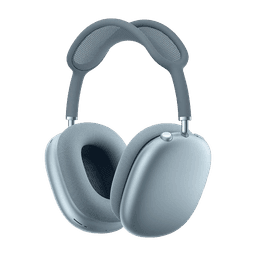
 #5208 · AirPods 4
Title
What happened
Support
A name at TPP, and 90 days at a glance.
Each brand has its own account manager at TPP, with support hours you can see. The incidents page shows, day by day, how calm the last 90 days have been.
Support health
Last 90 daysCalm76% calm days
Pick a day
- No incidents
- 1 to 5
- More than 5
Your account manager
Online now
Mon–Fri, 9:00–18:00 (Madrid)
Write to LucíaQuestions, answered.
From the order: “Report issue” opens the incident with the area and the order already filled in. Add a title and what happened. You can also open one from the incidents page.
TPP’s team. Your account manager and support deal with the supplier and the courier until it’s resolved, with a replacement or a refund. You don’t chase anyone.
Updates on their order by email, in their language, and a status page with the tracking, in your store’s look.
No. The supplier stays hidden in the emails, on the order page and in the incident.
The incidents page shows the last 90 days, one day at a time: green with no incidents, amber with one to five, red with more. Click a day to see its incidents.
Explore more features
See how each part of TPP works.
Report it once. We take it from there.
In the demo, we’ll show you how an incident goes from the order to resolved.